
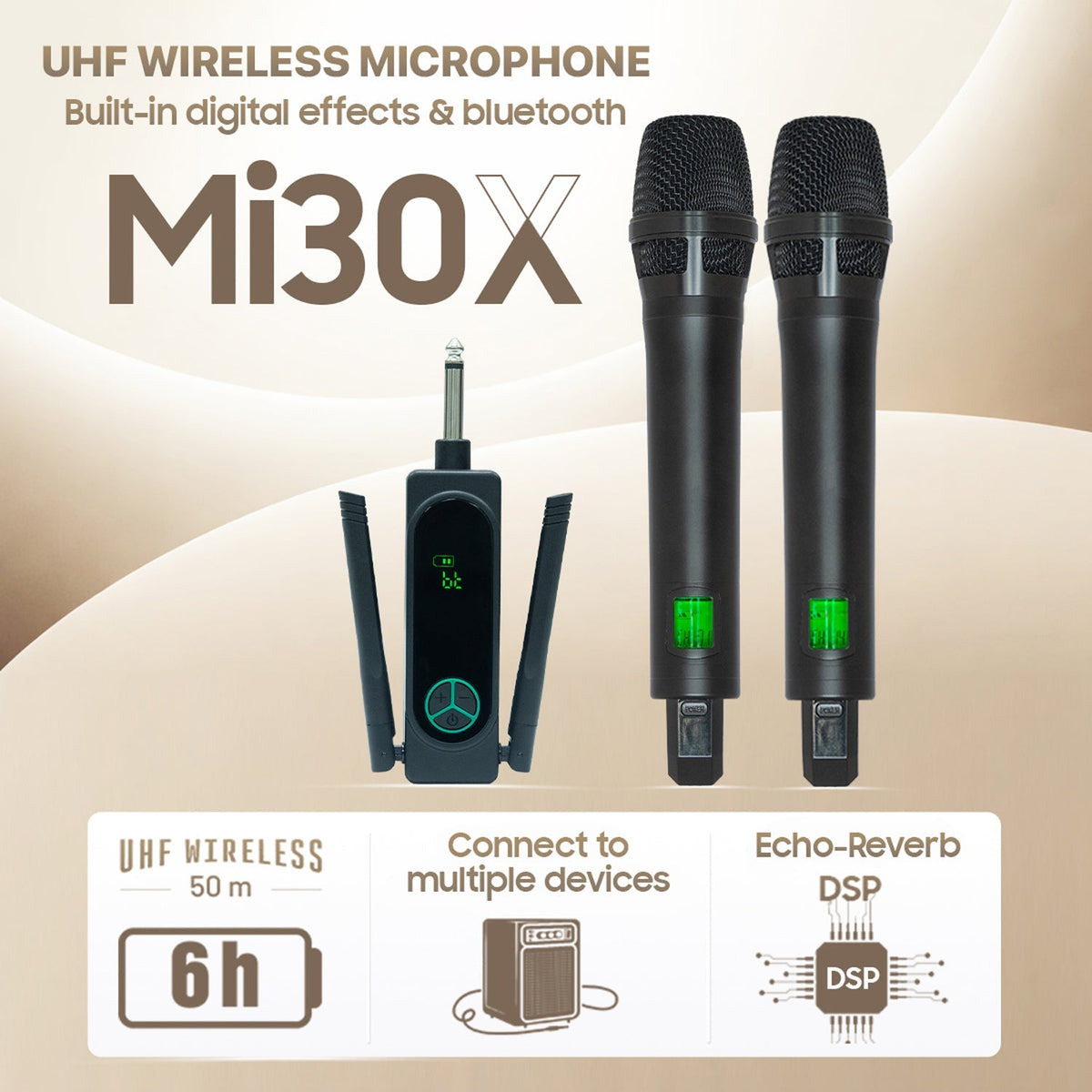
You may already own the speakers you need for karaoke. If you’re happy with the sound from your home theatre, hi-fi or powered speaker, the Soncamedia Mi-30x Universal Wireless Microphone System lets you add two wireless microphones and sing through the equipment you already use.
The Mi-30x can connect through a microphone input or an AUX/line input. It can also add two extra wireless singers to selected KBEATBOX systems, so four people can sing together.

⚠️ Planning to use a soundbar? Check its inputs first. Jump to the soundbar compatibility section.
🔌 Two Ways to Connect the Mi-30x
Start by looking at the input labels on your speaker, amplifier or home theatre receiver. The connection you choose determines where you play your backing tracks.
🎤 Option 1 — Use a Microphone Input
If your powered speaker, PA or karaoke system has a compatible MIC IN, connect the Mi-30x receiver to that input. If your system can play music and accept a microphone signal at the same time, you can keep using your existing music source and add two wireless singers through the Mi-30x.
For example, if your party speaker already plays tracks from your phone while its mic input is active, you can keep that music setup and use the Mi-30x for the vocals.
🔊 Option 2 — Use an AUX or Line Input
If your hi-fi, home theatre or powered speaker has a compatible AUX IN, LINE IN or red-and-white RCA audio input, the Mi-30x can handle the mix before the sound reaches your speakers.
- Pair your phone, tablet, laptop or compatible Smart TV with the Mi-30x over Bluetooth.
- Connect the Mi-30x receiver by cable to the AUX or line input on your sound system.
- Select that input and play a karaoke track. Your speakers will play the backing music and both microphones together.
This is what makes the AUX option useful. Your sound system receives the music and vocals as one mix, so it can play both through a single input.

📺 Keep the Lyrics on Your TV and Use Your Own Speakers
Say you play YouTube karaoke on your Smart TV and normally listen through your home theatre. If your TV supports Bluetooth audio output, pair it with the Mi-30x and connect the Mi-30x to an AUX or line input on your home theatre receiver.
The lyrics stay on the TV. The backing track goes to the Mi-30x, where it’s mixed with your vocals, and your home theatre speakers play the result.
For a more portable setup, use a tablet for the lyrics and a powered speaker with an AUX input for the sound. That’s handy if you’re taking the Mi-30x to a friend’s house and using their speaker.
💡 How the wireless connections work. Bluetooth carries the backing music into the Mi-30x. The handheld microphones communicate with the receiver over UHF, and the receiver sends sound to your speaker or amplifier by cable.
⚠️ Will the Mi-30x Work with Your Soundbar?
Check the soundbar for a compatible analogue AUX or LINE IN. A 3.5 mm socket marked headphones is an output, so check the label before assuming it can accept audio from the Mi-30x.
If your soundbar only has HDMI ARC or optical inputs, the Mi-30x can’t plug directly into those sockets. Send us the make and model of your soundbar if you’d like us to check your setup.
🎚️ Get the Voices and Backing Track Working Together
Start with a familiar song at a comfortable volume. Bring the microphone levels up until you can hear the words clearly over the music. With separate music and microphone controls, you can bring the vocals forward without turning up the whole system.
- Echo and plate reverb. Add a little depth to the vocals. Start with a small amount, especially in a room with hard floors or bare walls.
- Anti-feedback processing. Helps reduce microphone squeal. If you hear feedback, lower the mic level and keep the microphones pointed away from the speaker.
- SONCA Mixer app. Adjust microphone levels, echo and reverb from your iPhone or Android device.

🎤 Two Wireless Microphones, with a Carry Case Included
- Two UHF wireless handheld microphones with motion sensing to help conserve battery power when set down.
- A compact, USB-rechargeable receiver that connects to your sound system.
- A carry case as standard so you can keep the microphones and receiver together between karaoke nights.
- Two anti-roll microphone clips, one for each mic, to help keep them from rolling off the table between songs.

🎤🎤🎤🎤 Get Four Wireless Singers on Selected KBEATBOX Systems
If you already have a compatible KBEATBOX, keep using the two microphones that came with it and add the two from the Mi-30x. Both pairs can work together, giving you four wireless singers through the one speaker. That’s ideal when the whole family wants to join in on the same song.
✅ Confirmed Compatible Models
- KBEATBOX CS-200PU (all versions)
- KBEATBOX CS-286Plus (all versions)
- KBEATBOX CS-366Plus
- KBEATBOX KB-39NEO
- KBEATBOX CB-41NEO
- KBEATBOX CB-51NEO
- KBEATBOX TOP 430
- KBEATBOX TOP 530
Connect the Mi-30x receiver to your KBEATBOX’s microphone input, or use its line input and stream the backing music to the Mi-30x over Bluetooth.
⚠️ Already using optical audio from your Smart TV? Check the microphone-input option first. The KBEATBOX optical input for Smart TV audio is unavailable while its line input is in use.
Other KBEATBOX models may also work if they use a different microphone type from the Mi-30x. For four-singer use, the KBEATBOX FLAC 36 V2, FLAC 36 Ultimate and FLAC 39 and the Soncamedia D’Auris series are incompatible.
🎶 Ready to Set Up Karaoke at Home?
Whether you want to sing through the speakers you already own or add two more singers to a compatible KBEATBOX, start by checking the inputs. If you’re unsure, send us the make and model of your equipment or a photo of the connections. We can help you work out how to get the music and microphones playing together.
👉 View the Soncamedia Mi-30x Universal Wireless Microphone System